
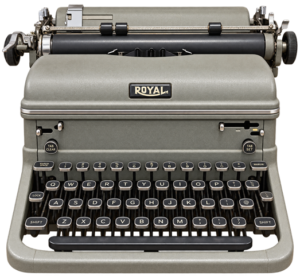
I started using my mom’s Royal manual typewriter when I was in elementary school and took a typing class in junior high, which turned out to be the most practical class I ever took. It enabled me to type my papers all the way through college and graduate school and came in even handier once I started using computers. Unlike some adults I knew at the time, I didn’t have to learn to keyboard just to use a PC.
Although I’m good at typing on a PC, I’m terrible at typing on a phone, even though I’ve been using smartphones since the iPhone came out in 2007. As a result, I often put off responding to emails until I can get to my PC, and by that time I might have forgotten to respond. Sometimes I call people rather than text simply to avoid that small onscreen keyboard.
When I do have to write an email or text message on my phone, I often use the built-in speech-to-text feature on iOS or Android by tapping the microphone on the keyboard. These systems have gotten a lot better with the latest releases, but they still make plenty of mistakes. For example, my wife’s first name is Patti, but when I dictate her name, it typically comes out as “Patty.” You would think that by now my phone would know how to spell her name.
Fortunately, we’re beginning to get systems that use AI to do a better job. As I mentioned in my recent review of the device, Google’s new Pixel 11 Pro Android phone comes with a feature called Rambler that goes well beyond traditional voice-to-text. Instead of simply transcribing everything you say, Rambler uses Google’s Gemini AI to make sense of the way people actually speak. It removes “ums” and “ahs,” adds punctuation and formatting, and can clean up false starts and self-corrections. You can even tell it to change something you’ve already dictated, such as “change Thursday to Friday,” without having those words wind up in your message.
iPhone solutions
Unfortunately, Rambler doesn’t work on the iPhone or even on non-Google Android phones. But there is a third-party alternative called Wispr Flow that works on iPhones running iOS 18.3 or later and Android phones running Android 13 or later. There are also versions for PCs and Macs.
Once you download and install the app, it adds a keyboard that you can use instead of your phone’s built-in keyboard. In addition to letting you type, it has its own microphone button for starting Flow’s AI-powered dictation. Tap the button, start talking, and Flow turns your speech into text, adding punctuation, removing filler words and cleaning up some of the false starts and corrections that are common in everyday speech. When you’re finished, the cleaned-up text appears in whatever app you’re using.
You can even speak in a whisper. I sometimes get ideas for an article while in bed and could use this to dictate them to my phone without waking up my wife.
Another useful feature is called Backtrack, which lets you correct yourself while you’re speaking. I tested it by dictating, “Dear Jim, make that Jane. Let’s meet Thursday at 3 p.m. I mean Friday at 3 p.m.” Flow understood my corrections and wrote the message exactly as I intended: “Dear Jane. Let’s meet Friday at 3 p.m.”
That’s much closer to what I want from AI. I don’t generally want it to do my writing for me. I want a dictation system that works almost all the time, is forgiving of my mistakes and makes it faster and easier to get my own words onto the screen.
Apple does offer its own approach. One iPhone option that I have mixed feelings about is “Write with Siri,” which works only with iOS 27 on an iPhone 15 Pro or Pro Max, or an iPhone 16 or later. The feature lets you create text simply by telling Siri what you want to say. You can ask it to draft an email, text message or other content and tell it what to include and how you want it to sound.
Write with Siri can also compose, rewrite and proofread text. That can be useful, but it’s more than I usually want. In most cases, I don’t want Siri to write for me. I just want it to catch my typos and dictation errors.
I feel the same way about Google’s “Help me write” feature in Gmail and Copilot in Microsoft Word. They can be useful when you want help composing or rewriting something, but that’s usually not what I’m looking for. I want technology to help me write my words more accurately and efficiently, not write them for me.
Wispr Flow’s free plan lets you dictate up to 1,000 words a week on mobile devices. For unlimited dictation, you’ll need the Pro plan, which costs $15 a month or $144 a year. Students can use Wispr Flow Pro for free after verifying their student status.
I haven’t decided whether to upgrade to the $144-a-year plan. That’s a lot of money to pay on top of the cost of my iPhone and cellular service. I wish Apple would follow Google’s lead and build a similar feature directly into iOS or, as it has done with Shazam and other app developers, acquire Wispr and include Flow with the iPhone.
Google already offers its Gboard keyboard for both iPhone and Android, so I’m also hoping it eventually brings Rambler to Gboard on a wider range of phones instead of limiting it to Pixel devices.
My junior high typing teacher taught me a skill I’ve used for decades, and it’s the very skill I used to write this article on my PC. But when I’m using my phone, I’m perfectly happy to let AI give my fingers a rest.