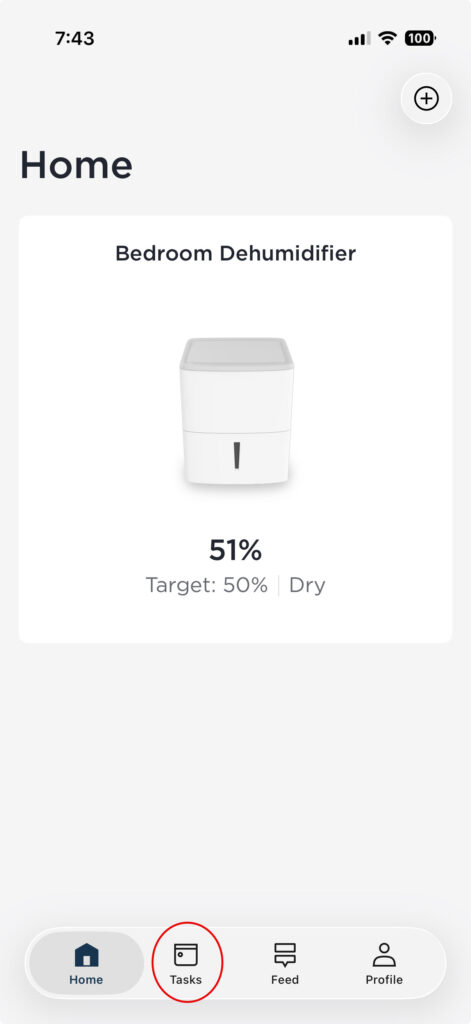
I recently bought a Frigidaire dehumidifier and nearly returned it because, at first glance, there appeared to be no way to set a schedule. When I tapped my appliance name in the app’s home screen (in my case, “Bedroom Dehumidifier”), I found only a simple timer that would turn the unit on or off—but nothing that allowed me to create a schedule to automatically control it throughout the day and night.
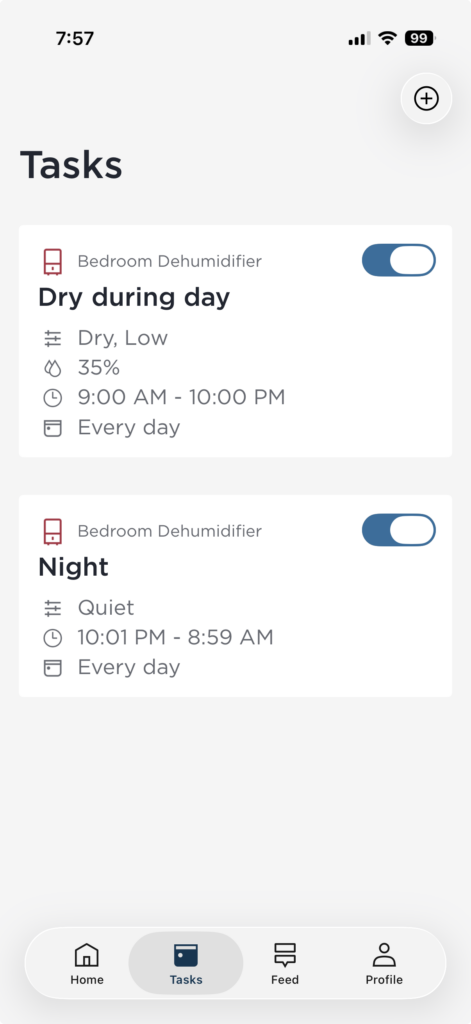
It turns out the scheduling option does exist, but it’s not where one would expect it to be. In almost every other smart-home app, you tap on the device itself and manage all its settings from there. Not here.
Instead, you have to look closely at the app’s Home screen and tap “Tasks” at the bottom of the screen. That icon disappears when you’re in the part of the app where you control your specific appliance.
Problem solved—but no thanks to the UI of the app.