I used to carry several chargers when I travel to make sure my phone, watch, my earbuds and my PC and tablet have the power they need. But on my next trip, I’ll only carry two, thanks to a couple of products from Anker.
For any USB C and A device
For my tablet and my PC, I have an Anker USB C Charger (Nano 65W) which has two USB C ports plus a USB A port. allowing you to charge up to 3 devices at once. At 1.50 in × 1.15 in × 2.60 in, weighing less than 5 ounces, it’s smaller and lighter than the USB C charger that came with just my laptop and it can be used to charge 3 devices at once.
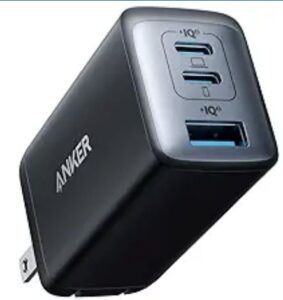
It’s basically a small brick with a two-prong plug. Having only two prongs means you don’t need a grounded outlet, but I’ve noticed that two prong plugs often fall out of the power outlets on planes, so I carry a small three-prong power strip that fits snuggly into the plane’s outlet. Not only does it stay in place but offers me three outlets which is two more than I need thanks to the 3 plugs on the Anker USB charger, but extra outlets never hurt — especially if a seatmate needs to plug in their device.
Charge iPhone, Apple Watch and AirPods at the same time
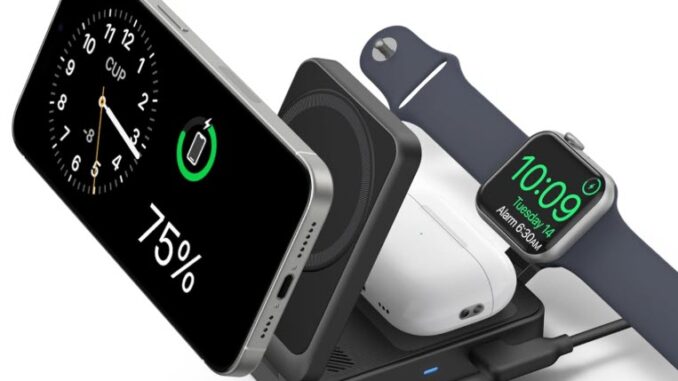
I recently switched from Android to Apple and now travel with an Apple Watch, Apple AirPods and an iPhone. That would normally require carrying the one or two safe chargers for the watch and AirPods and a USB C charger, but I now have a foldable Anker MagSafe Wireless Charging Station that handles all three devices at the same time.
When folded, it’s small enough to fit in a pocket or take up very little space in a backpack. It weighs 6.9 oz and measuring 3.50 × 2.36 × 0.98 in. It’s also fast, with 15-watt charging. Anker says that Apple Watch can reach 47% in 30-minites. And it’s certified by Apple, so you know it’s safe to use with your Apple equipment. It also dubs as an iPhone stand, enabling you to place it in portrait (vertical) mode or landscape (horizontal) position for watching video.
It does come with instructions, but I had trouble figuring out exactly how to unfold it, until I watched this helpful video. If you just want to see how to unfold and use it, fast forward to 2:30.